Please try again later. If the error continues, contact us.
FREE GROUND SHIPPING ON ORDERS OVER $99
Orders over $99 will have free standard ground shipping within the contiguous United States (Alaska and Hawaii are excluded) and to Canada (remote areas excluded). Learn more
This online course teaches operators the basics of safe, efficient operation and introduces them to the Bobcat® loader radio remote control's key components and safety features. Trainees will learn at their own pace through videos, graphics, and quizzes.
In the final section of the course, trainees demonstrate what they have learned. Trainees will need Bobcat equipment, a suitable work area, and a competent observer to give constructive feedback.
This online course may take up to 3 hours to complete.
Highlights of this online course include:
How weight distribution affects skid-steer loader steering and stability
The difference between tipping load and rated operating capacity
What a hydrostatic transmission is and how the loader reacts when the steering controls are moved
The major components, operating features, and safety features of the loader radio remote control
The importance of maintenance for safe and efficient operation, as well as the steps of safe entry, start-up, parking, and exiting
The controls and their functions
The fundamentals of safe maneuvering, traveling, and working
Once you complete all of the activities in this course, a Certificate of Completion will be available for download. You will also have the option to add this certificate to a digital wallet on your mobile device.
Reviews
Be the first to write a review!
Tell others what you think.
Your Review
Take a moment and review the product(s) you ordered to help us and other customers understand your experience. For guidance on writing a review, explore our .
Review Guideline
We value your opinion and invite you to rate and review your purchases. Please explain why you like or dislike the product, focusing on the product's features and your experience using it. If you wish to comment about product selection, pricing, ordering, delivery, or other issues, please contact our sales team.
Important
Please refrain from including any of the following in your review:
Obscene or discriminatory language
Critical or inappropriate comments about dealers, other reviews or shoppers
Advertising, spam, references to other websites or retailers
All reviews are subject to the terms in our company's privacy policy.
Thank you!
Thank you for sharing your feedback. Your review will be published after moderating.
Customer photos and videos - Loader Radio Remote Control Online Operator Training Course, 7499025
Would Recommend
Verified Purchase
Bobcat Team
Loader Radio Remote Control Online Operator Training Course, 7499025
SKU:
7499025
The Bobcat® Loader Radio Remote Control online operator training course provides information on safe and efficient operation. The course is NOT designed to license or certify operators as skilled or factory-authorized operators of loader radio remote control. This course is available in both English and Spanish.
Una versión en español de este curso está disponible además de la versión en inglés.
Training courses can be accessed in your account under My Training Courses after you place your order. You will be required to log in.
Access is for one user for one year.
No refunds on training courses. Sale is final once a transaction is completed.
Refine results for your equipment. Add your serial number or model to shop products with a guaranteed fit.
Sign in
or
create account
to save equipment for future use.
Refine results for your equipment. Add your serial number or model to shop products with a guaranteed fit.
Sign in
or
create account
to save equipment for future use.
Check to see if your machine is eligible for more coverage by entering your serial number under Eligibility Check below.
What is covered?
Loaders
You have three options: 1) Full Protection – most comprehensive coverage 2) Powertrain + Hydraulics – powertrain plus hydraulic components only 3) Powertrain – engine and drive components only.
Excavators
You have three options: 1) Full Protection – most comprehensive coverage 2) Powertrain + Hydraulics – powertrain plus hydraulic components only 3) Powertrain – engine and drive components only.
Tractors
You have three options: 1) Full Protection – most comprehensive coverage 2) Powertrain + Hydraulics – powertrain plus hydraulic components only 3) Powertrain – engine and drive components only.
Toolcat™ Utility Work Machines
You have three options: 1) Full Protection – most comprehensive coverage 2) Powertrain + Hydraulics – powertrain plus hydraulic components only 3) Powertrain – engine and drive components only.
Telehandlers
You have three options: 1) Full Protection – most comprehensive coverage 2) Powertrain + Hydraulics – powertrain plus hydraulic components only 3) Powertrain – engine and drive components only.
Utility Vehicles (UTV)
For new Bobcat utility vehicles, Protection Plus offers full protection on engine and transmission components, plus HVAC, plus Main Frame, plus Electrical Components, PLUS more!
Zero-Turn Mowers (ZTR)
For new Bobcat zero-turn mowers, we offer a limited extended warranty.
Saved Equipment Guide
Keep your equipment information organized by saving your Bobcat models and serial numbers to make finding compatible products even easier.
How to Use ‘Saved Equipment’
Without signing in, you can save one machine by clicking ‘Add Equipment’ at the top of the page. Once you create an account or sign in, you can save and edit multiple models and serial numbers by clicking ‘Add Equipment’. Click on any of your saved machines and click ‘Apply’ to see the compatible products for your serial number. If you want to look at all products without any serial number applied, you can click on the green slider at the top of the page to view all products.
Where I Can Find My Saved Equipment
Your equipment information will always be at your fingertips every time you sign in. Your active machine will be visible at the top of the page by the search bar. Once you sign in, you will see all of your saved equipment. Click on your active equipment at the top of the page. A window opens showing all your saved equipment. Select the machine that needs new parts, accessories, or attachments, and click ‘Apply’.
Where's My Serial Number
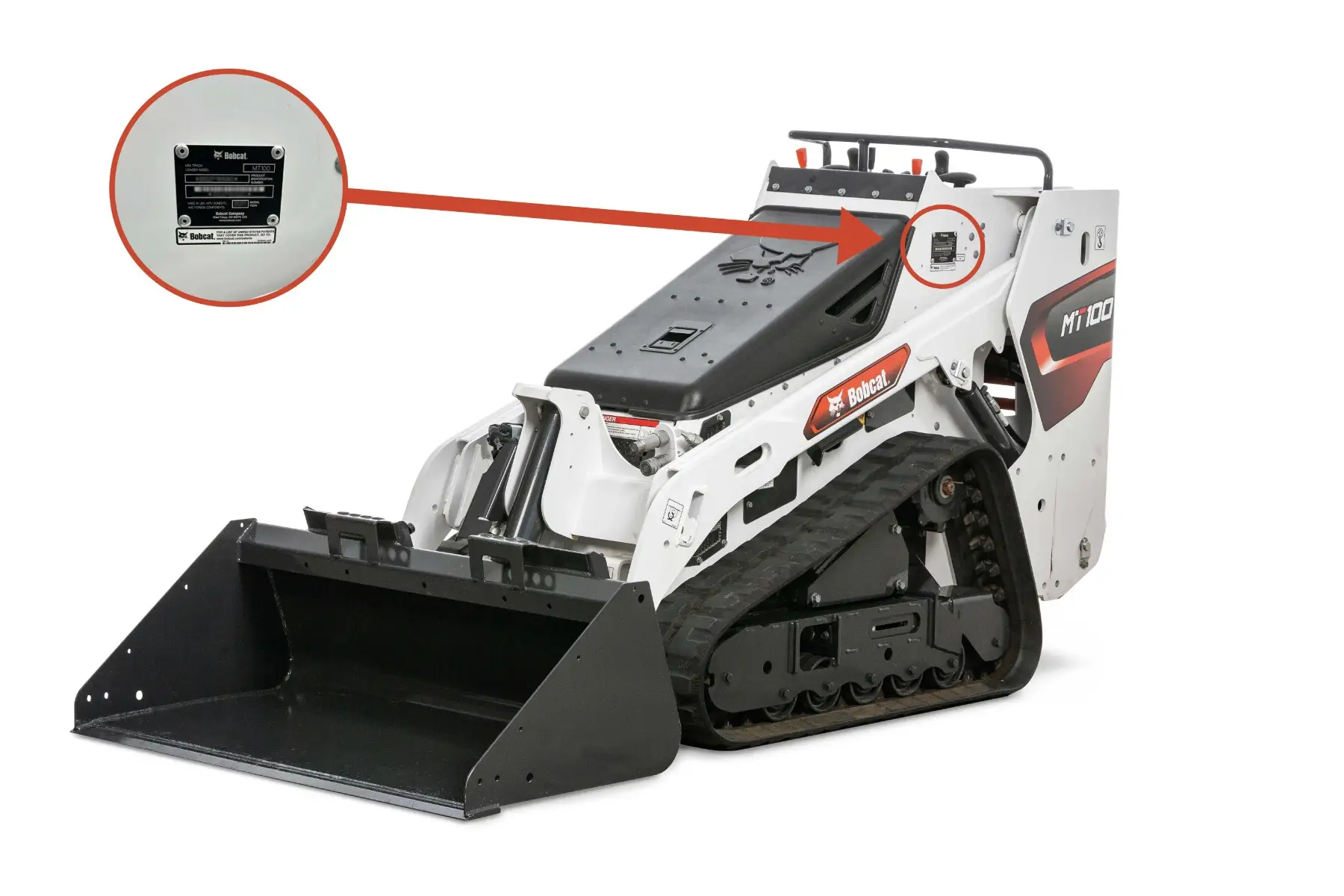
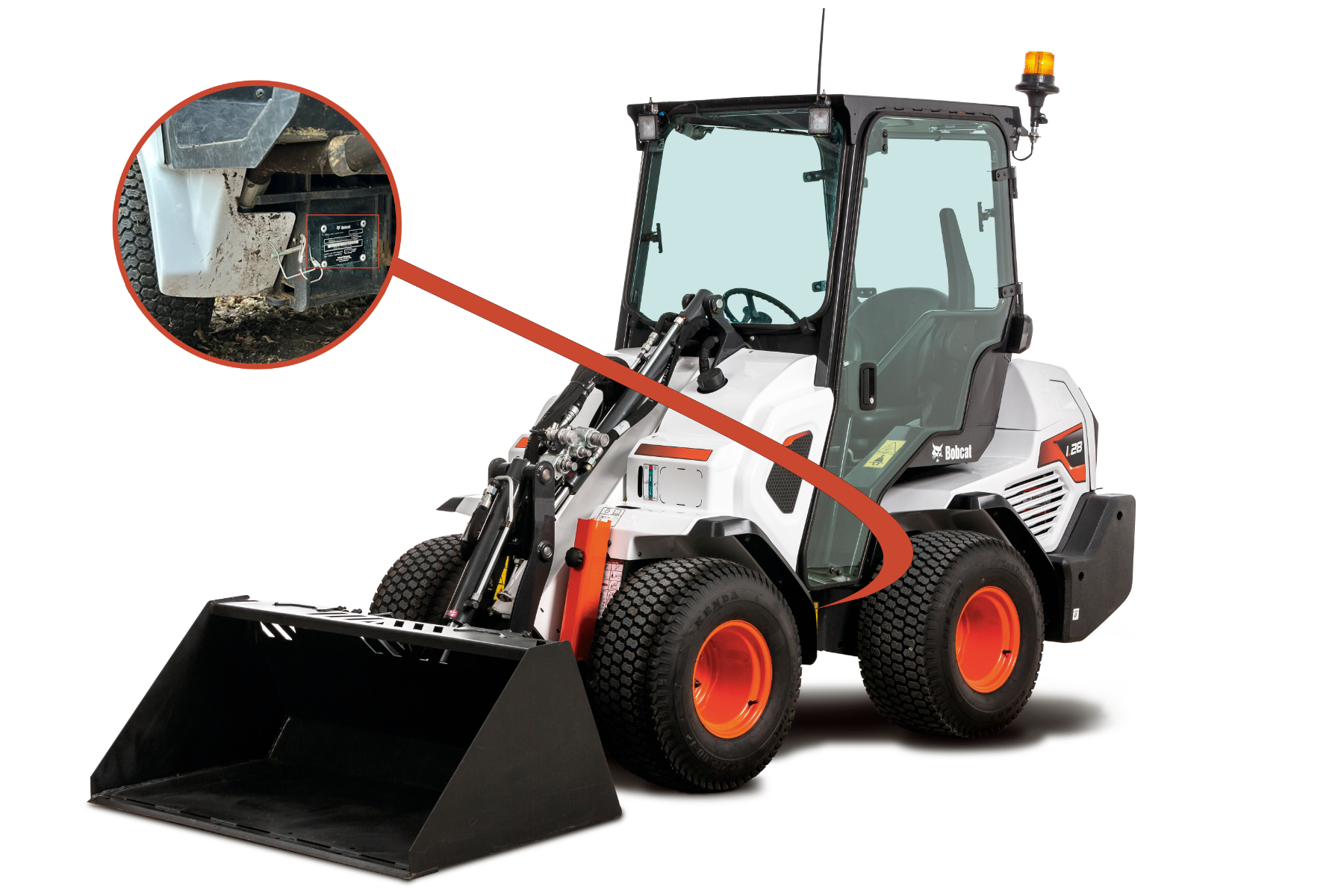
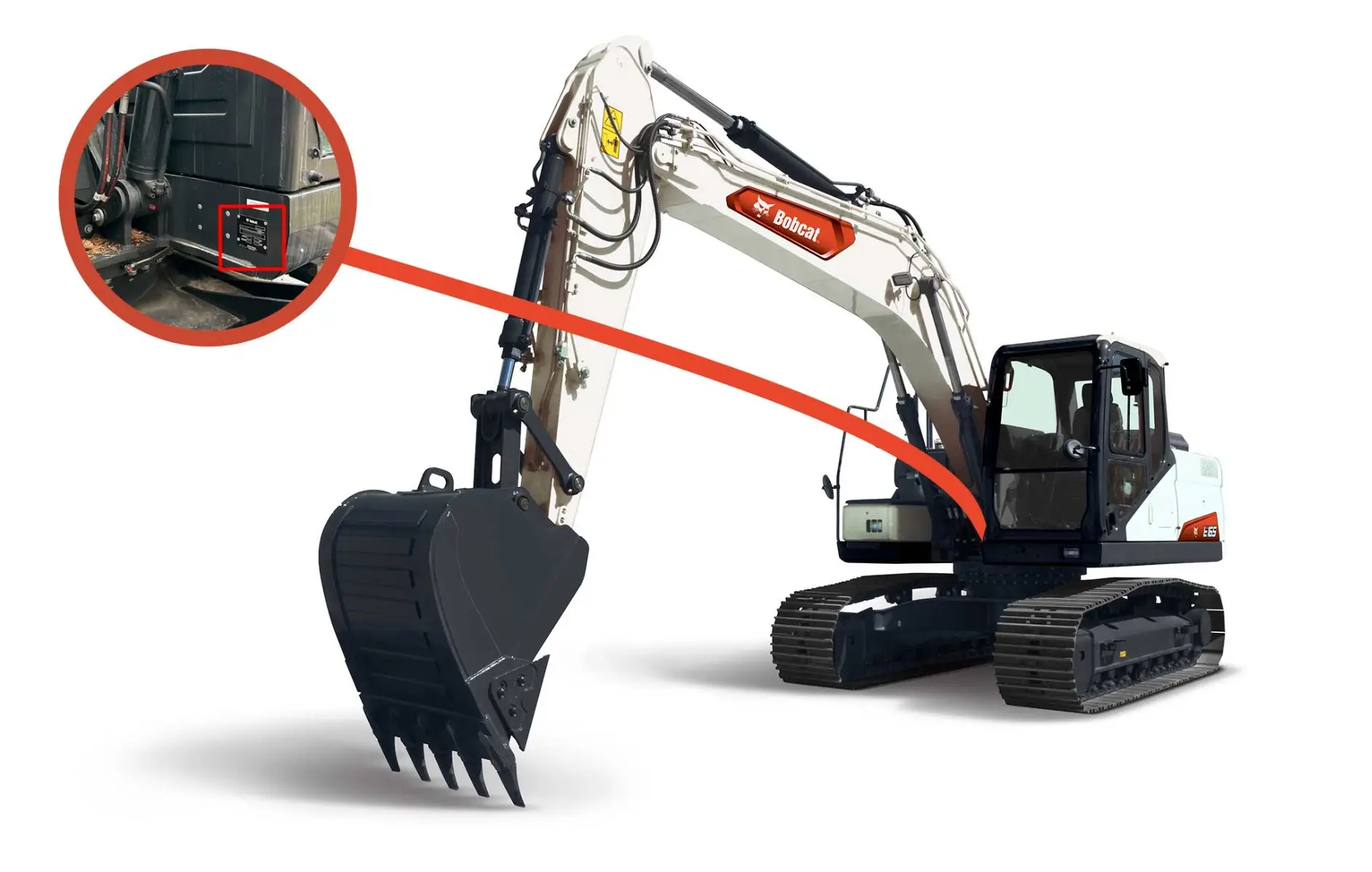
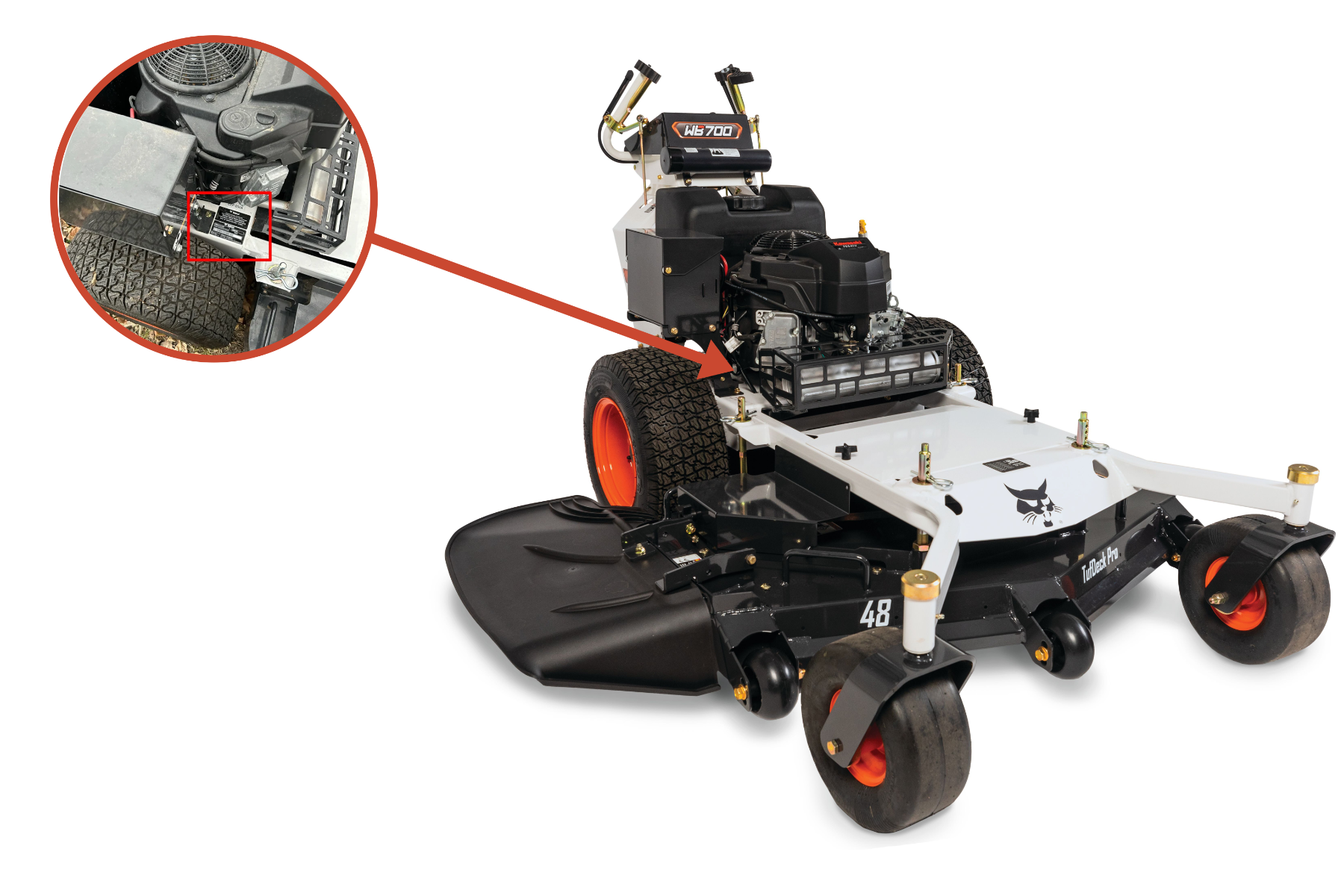
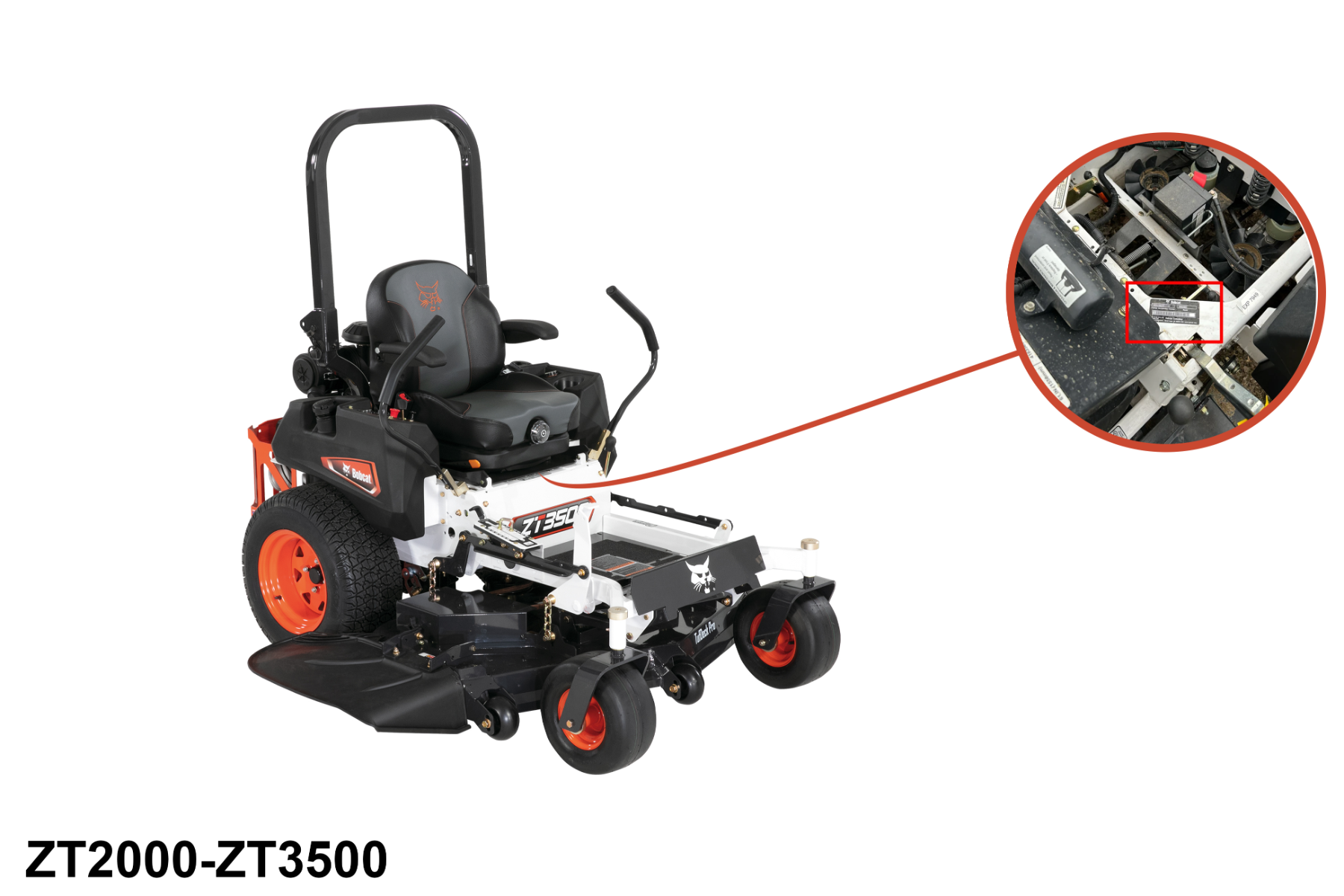
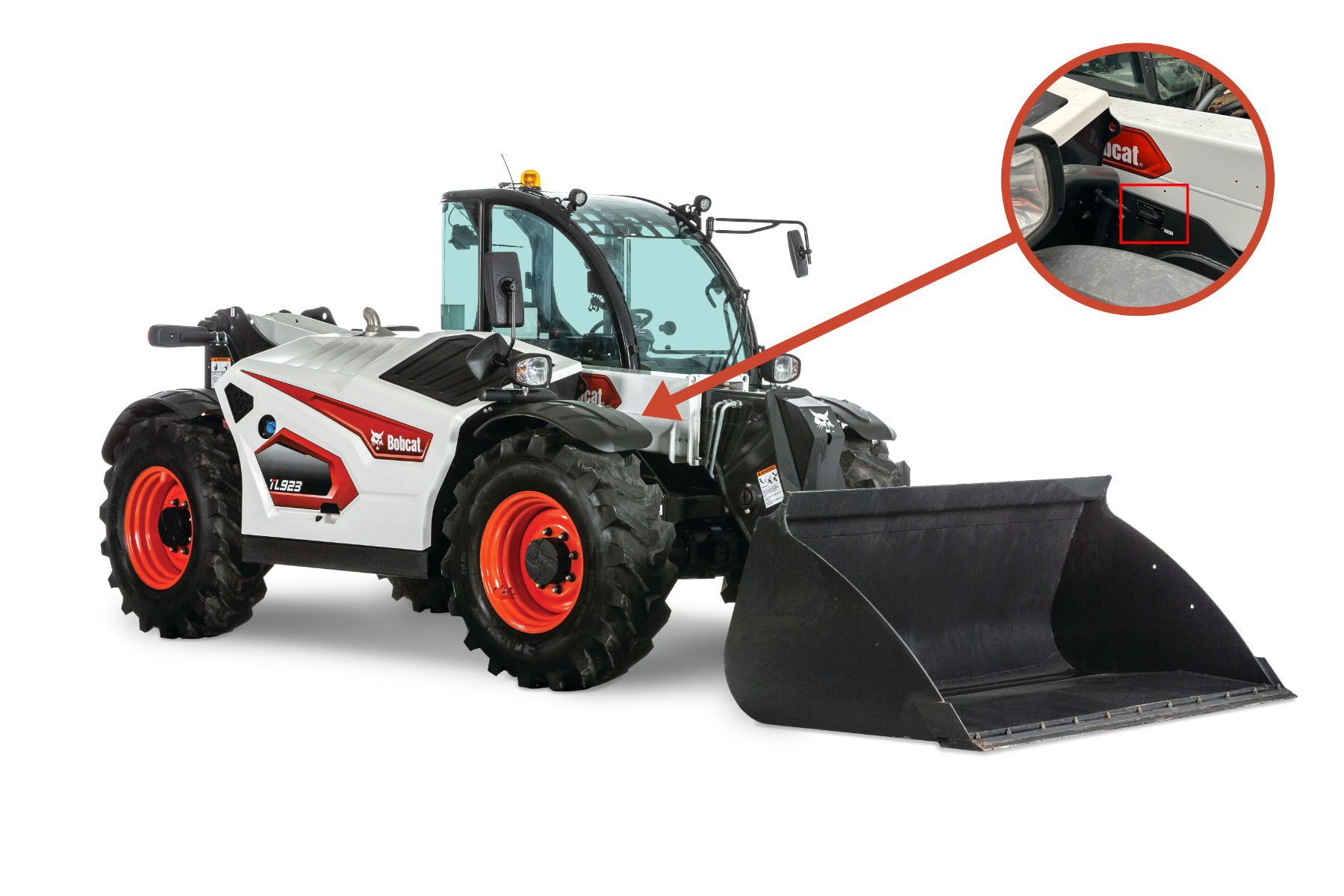
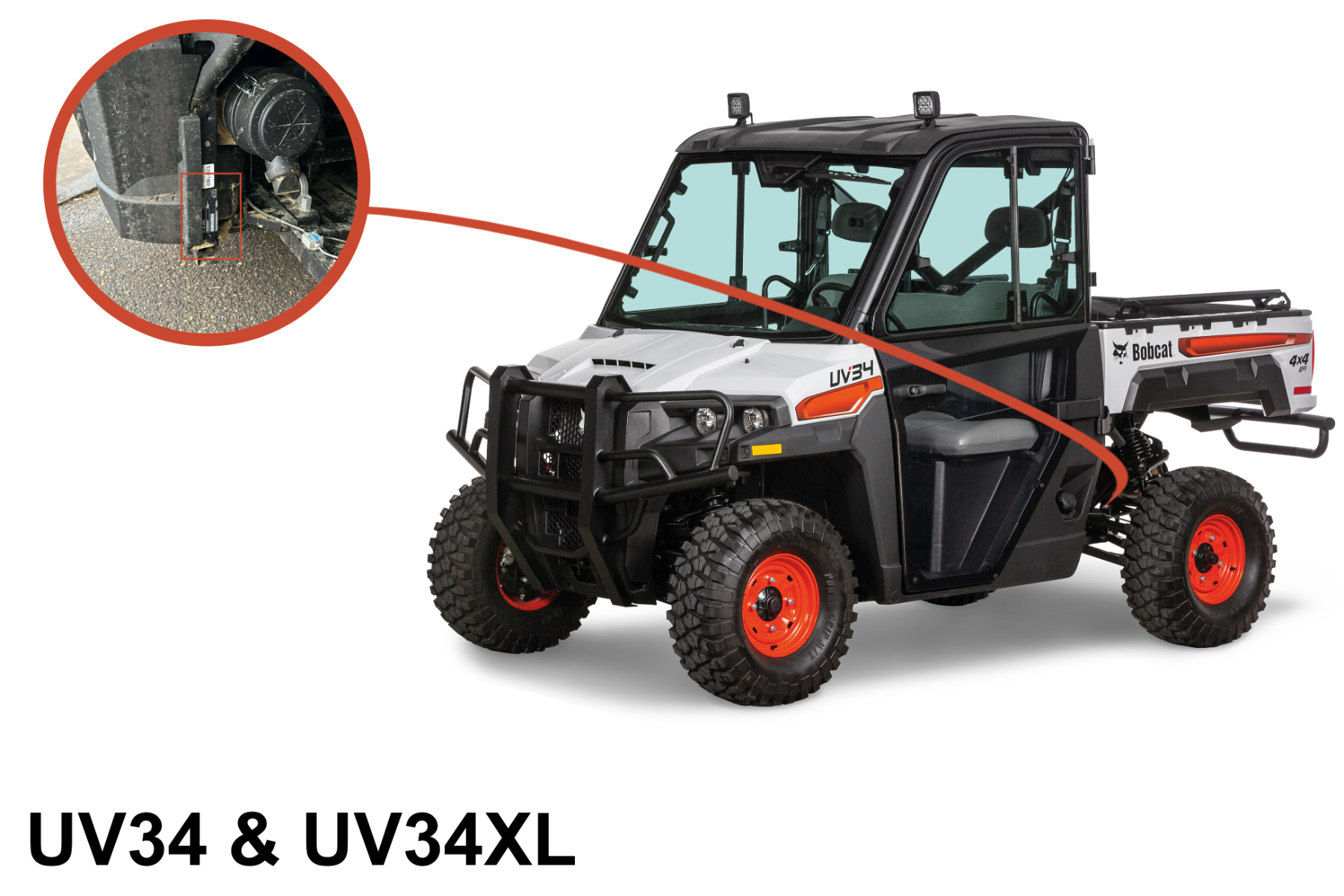
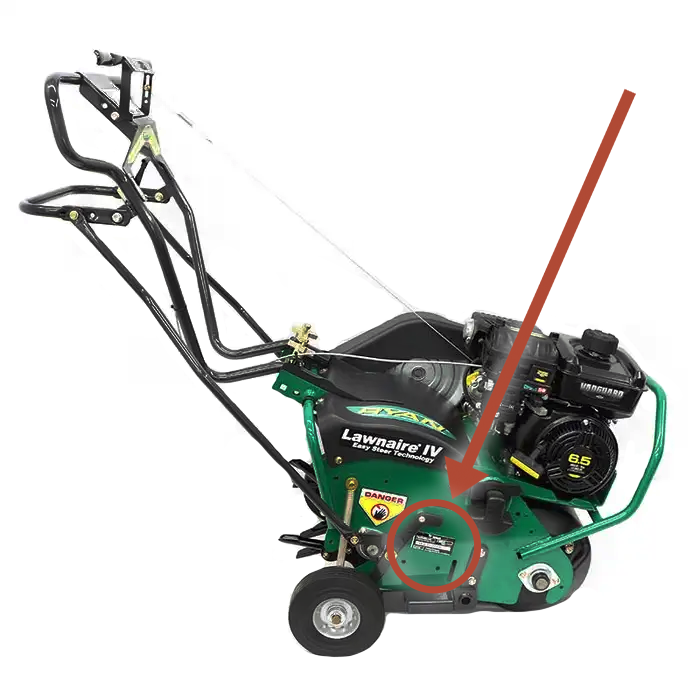
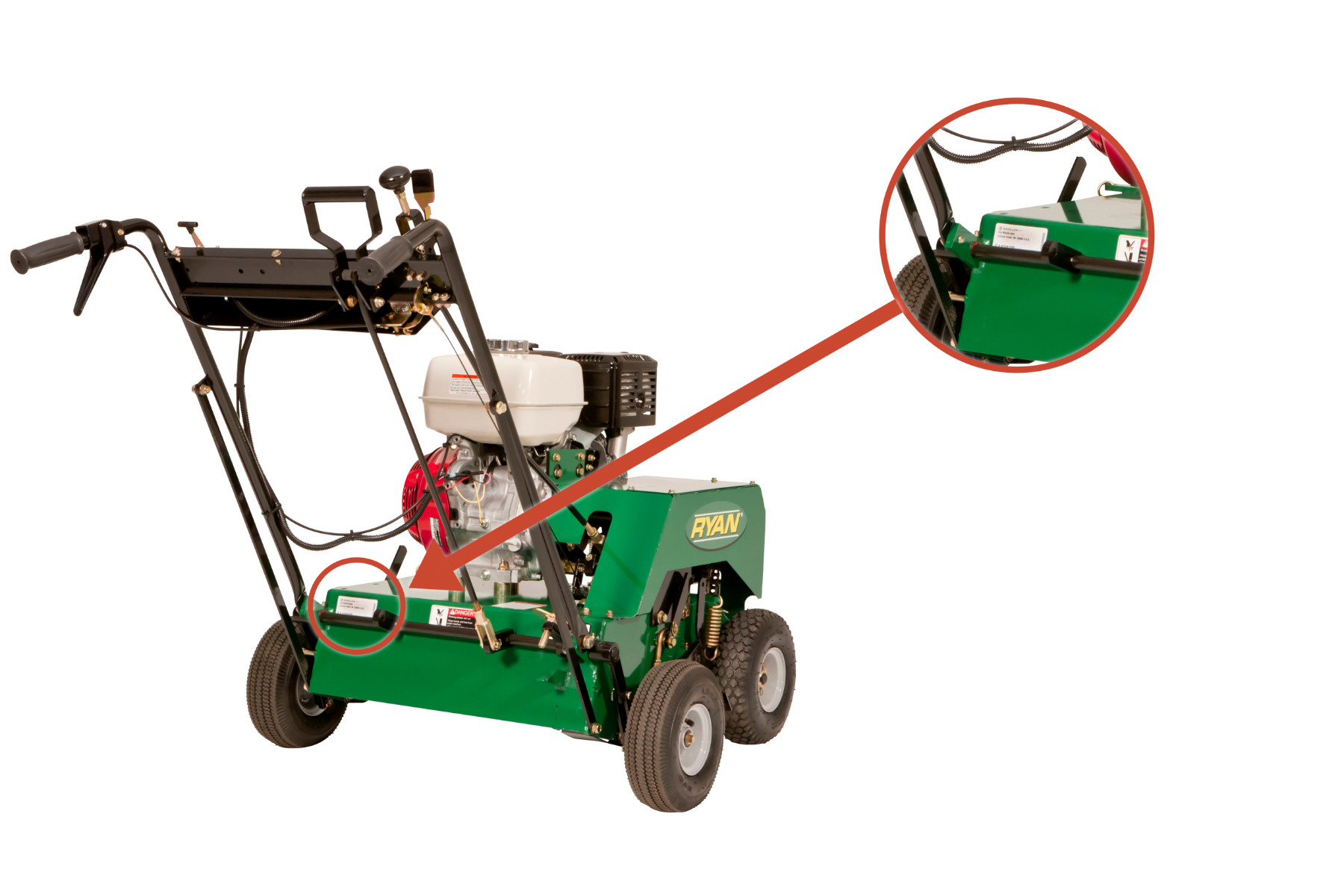
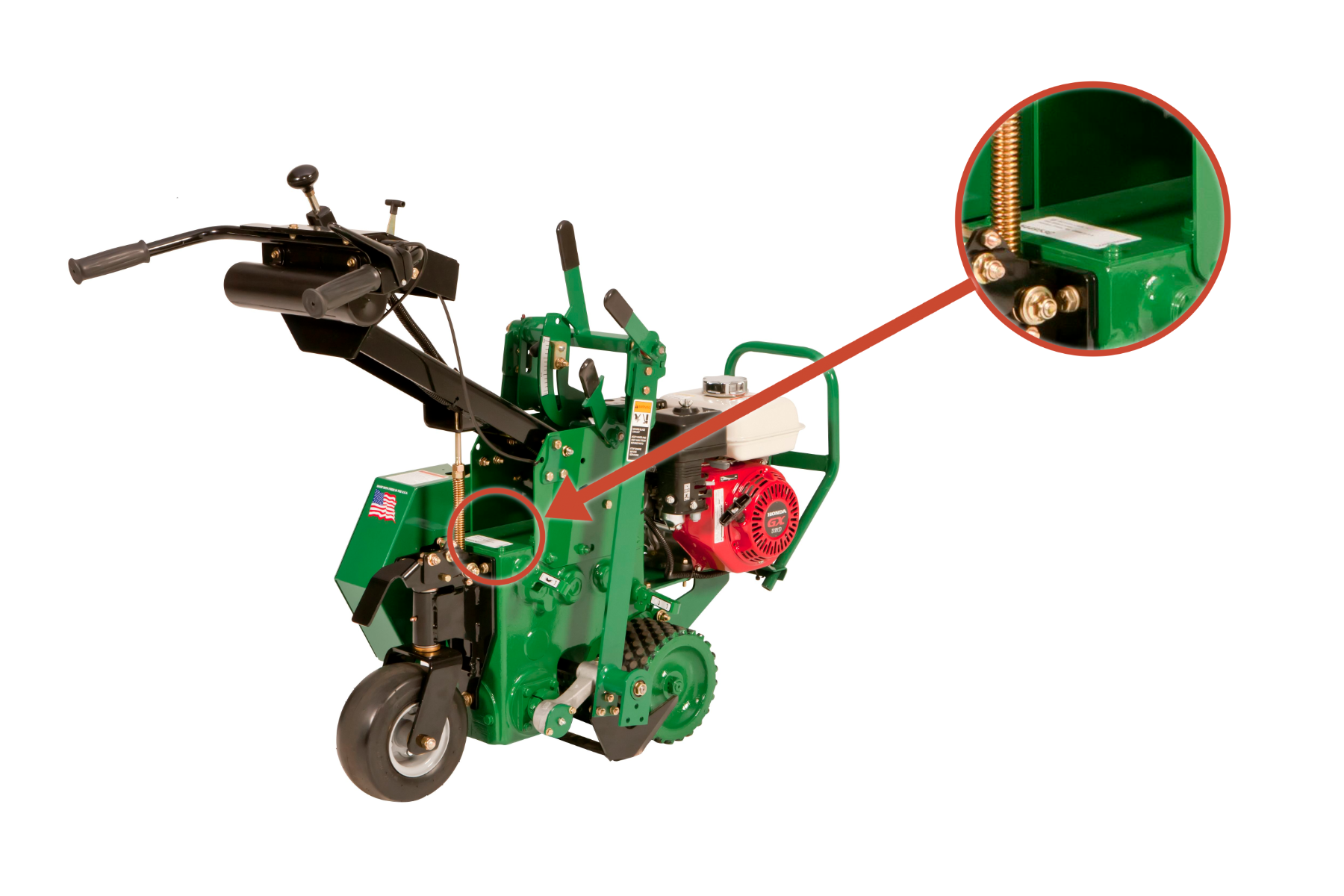
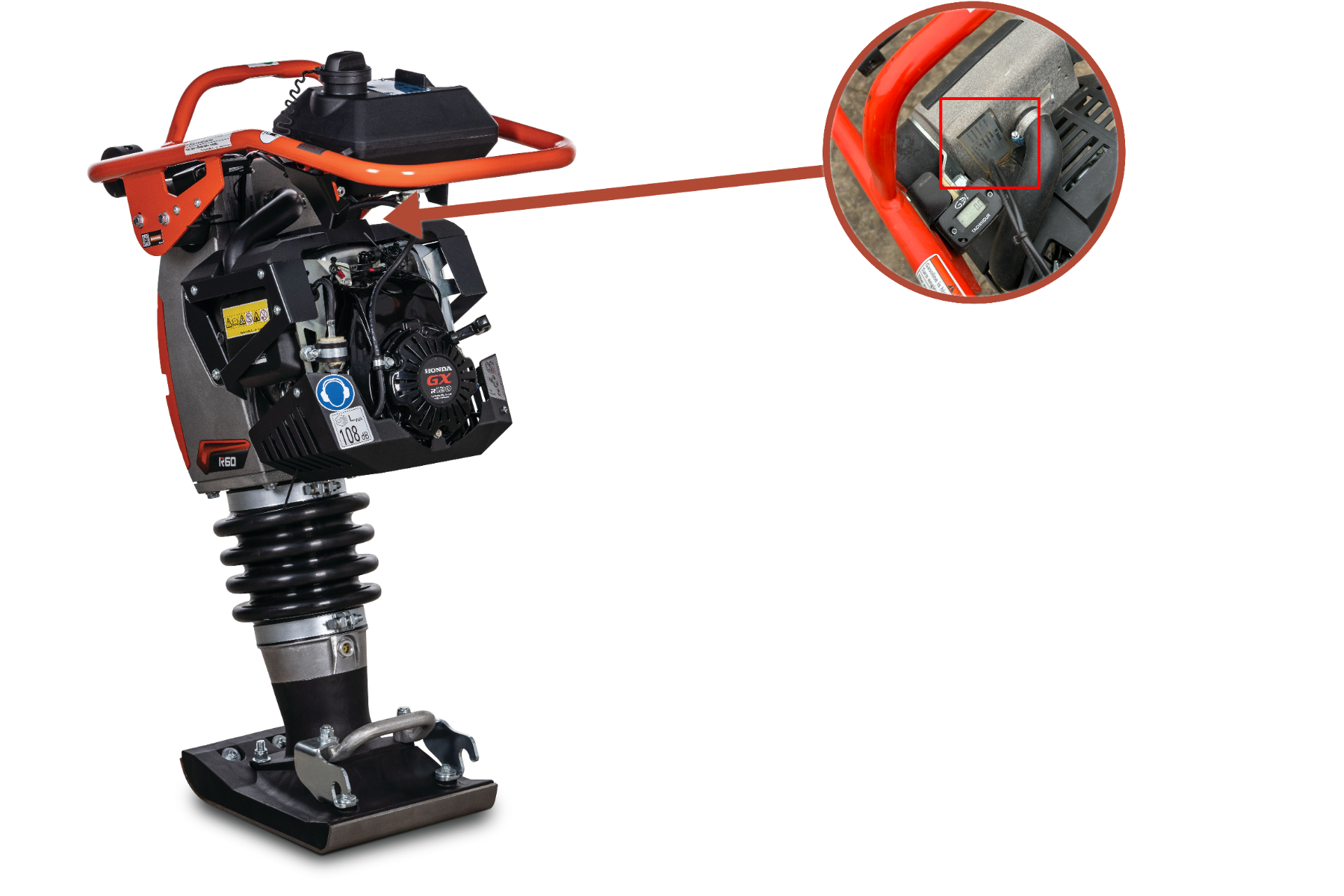
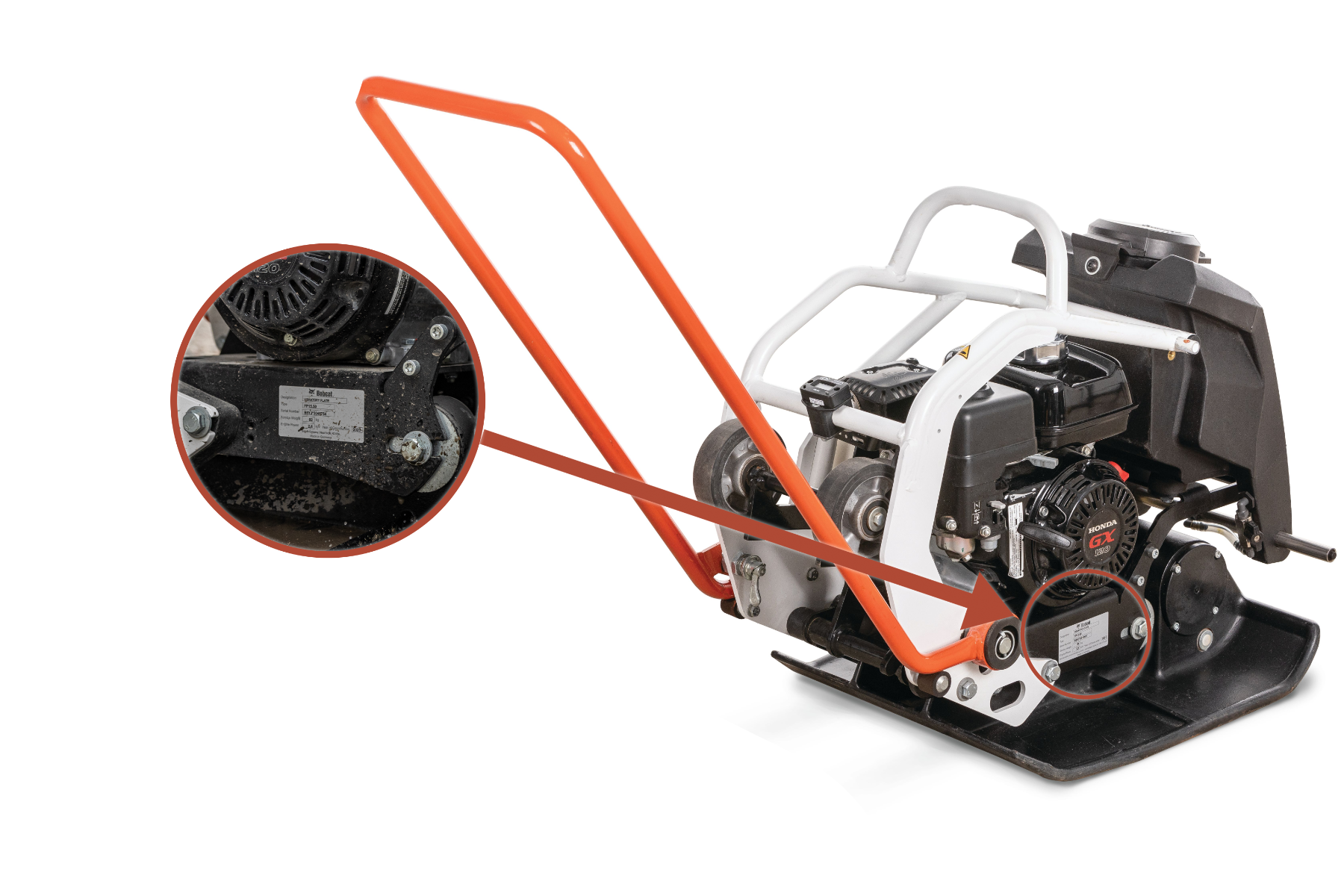
The serial number location can vary by type of machine, series, year of manufacture and other factors. Use this guide to help locate your machine's serial number.