Please try again later. If the error continues, contact us.
FREE GROUND SHIPPING ON ORDERS OVER $99
Orders over $99 will have free standard ground shipping within the contiguous United States (Alaska and Hawaii are excluded) and to Canada (remote areas excluded). Learn more
Continuous view: works during forward and reverse motion of the machine
Auto-on with ignition activation
Brightness setting for day or night view: three manual dimming modes for increased ease of use in bright or dark conditions
Manually adjust the color, contrast, brightness and tint
IPx6 rated waterproof enclosure
Anti-glare, scratch resistant protected screen
Operating temperature range of -22°F to 176°F.
Camera
118-degree horizontal lens angle for wide viewing capabilities
89-degree vertical viewing angle for enhanced upward and downward viewing
Low level light capabilities for usage in darker environments
Heavy-duty, robust, stainless steel mounting hardware and a heat and impact resistant housing that is waterproof and dust proof
IP69K rating: camera can withstand a high-pressure cleaning with water
Shock and vibration resistant for usage in compact equipment applications including wind, dirt, rain, and rugged terrains
Operating temperature of -40°F to 185°F.
Please note, the rear camera is not a substitute for proper work site management. The operator must be aware of their surroundings while operating and keeping bystanders out of the work area.
Specifications
The display is mounted to the cab's upper cutouts. The camera is secured in a mount on the top center of the tailgate, the mount requires adding two 5/16th inch holes and one 13/16th hole in the tailgate. The harness is routed along the cab harness and main harness to the tailgate. It has one connector for the display at the right panel, one for the camera at the tailgate, and three connectors for power at the storage compartment located in the rear right of the cab: a 3 pin male connector which plugs into the cab harness accessory connector for power, a 3 pin female connector for other accessories to plug into for power if needed, and a connector with an in-line 5 amp fuse to protect the system.
WARNING:This product can expose you to chemicals including engine exhaust (including diesel engine exhaust when equipped), lead and lead compounds, mineral oils, soots, phthalates, and carbon monoxide which are known to the State of California to cause cancer and birth defects or other reproductive harm. For more information go to www.P65Warnings.ca.gov
Certain specification(s) are based on engineering calculations and are not actual measurements. Specification(s) are provided for comparison purposes only and are subject to change without notice. Specification(s) for your individual equipment will vary based on normal variations in design, manufacturing, operating conditions, and other factors.
Reviews
5/ 5
(4 reviews)
5 stars
4
4 stars
0
3 stars
0
2 stars
0
1 star
0
Filter by:
Would Recommend
Verified Purchase
Incentivized
Incentivized review
This shopper received an incentive for submitting a review.
Bobcat Team
View
Be the first to write a review!
Tell others what you think.
Your Review
Take a moment and review the product(s) you ordered to help us and other customers understand your experience. For guidance on writing a review, explore our .
Review Guideline
We value your opinion and invite you to rate and review your purchases. Please explain why you like or dislike the product, focusing on the product's features and your experience using it. If you wish to comment about product selection, pricing, ordering, delivery, or other issues, please contact our sales team.
Important
Please refrain from including any of the following in your review:
Obscene or discriminatory language
Critical or inappropriate comments about dealers, other reviews or shoppers
Advertising, spam, references to other websites or retailers
All reviews are subject to the terms in our company's privacy policy.
Thank you!
Thank you for sharing your feedback. Your review will be published after moderating.
Customer photos and videos - Rear Camera Kit (7329670)
Refine results for your equipment. Add your serial number or model to shop products with a guaranteed fit.
Sign in
or
create account
to save equipment for future use.
Refine results for your equipment. Add your serial number or model to shop products with a guaranteed fit.
Sign in
or
create account
to save equipment for future use.
Check to see if your machine is eligible for more coverage by entering your serial number under Eligibility Check below.
What is covered?
Loaders
You have three options: 1) Full Protection – most comprehensive coverage 2) Powertrain + Hydraulics – powertrain plus hydraulic components only 3) Powertrain – engine and drive components only.
Excavators
You have three options: 1) Full Protection – most comprehensive coverage 2) Powertrain + Hydraulics – powertrain plus hydraulic components only 3) Powertrain – engine and drive components only.
Tractors
You have three options: 1) Full Protection – most comprehensive coverage 2) Powertrain + Hydraulics – powertrain plus hydraulic components only 3) Powertrain – engine and drive components only.
Toolcat™ Utility Work Machines
You have three options: 1) Full Protection – most comprehensive coverage 2) Powertrain + Hydraulics – powertrain plus hydraulic components only 3) Powertrain – engine and drive components only.
Telehandlers
You have three options: 1) Full Protection – most comprehensive coverage 2) Powertrain + Hydraulics – powertrain plus hydraulic components only 3) Powertrain – engine and drive components only.
Utility Vehicles (UTV)
For new Bobcat utility vehicles, Protection Plus offers full protection on engine and transmission components, plus HVAC, plus Main Frame, plus Electrical Components, PLUS more!
Zero-Turn Mowers (ZTR)
For new Bobcat zero-turn mowers, we offer a limited extended warranty.
Saved Equipment Guide
Keep your equipment information organized by saving your Bobcat models and serial numbers to make finding compatible products even easier.
How to Use ‘Saved Equipment’
Without signing in, you can save one machine by clicking ‘Add Equipment’ at the top of the page. Once you create an account or sign in, you can save and edit multiple models and serial numbers by clicking ‘Add Equipment’. Click on any of your saved machines and click ‘Apply’ to see the compatible products for your serial number. If you want to look at all products without any serial number applied, you can click on the green slider at the top of the page to view all products.
Where I Can Find My Saved Equipment
Your equipment information will always be at your fingertips every time you sign in. Your active machine will be visible at the top of the page by the search bar. Once you sign in, you will see all of your saved equipment. Click on your active equipment at the top of the page. A window opens showing all your saved equipment. Select the machine that needs new parts, accessories, or attachments, and click ‘Apply’.
Where's My Serial Number
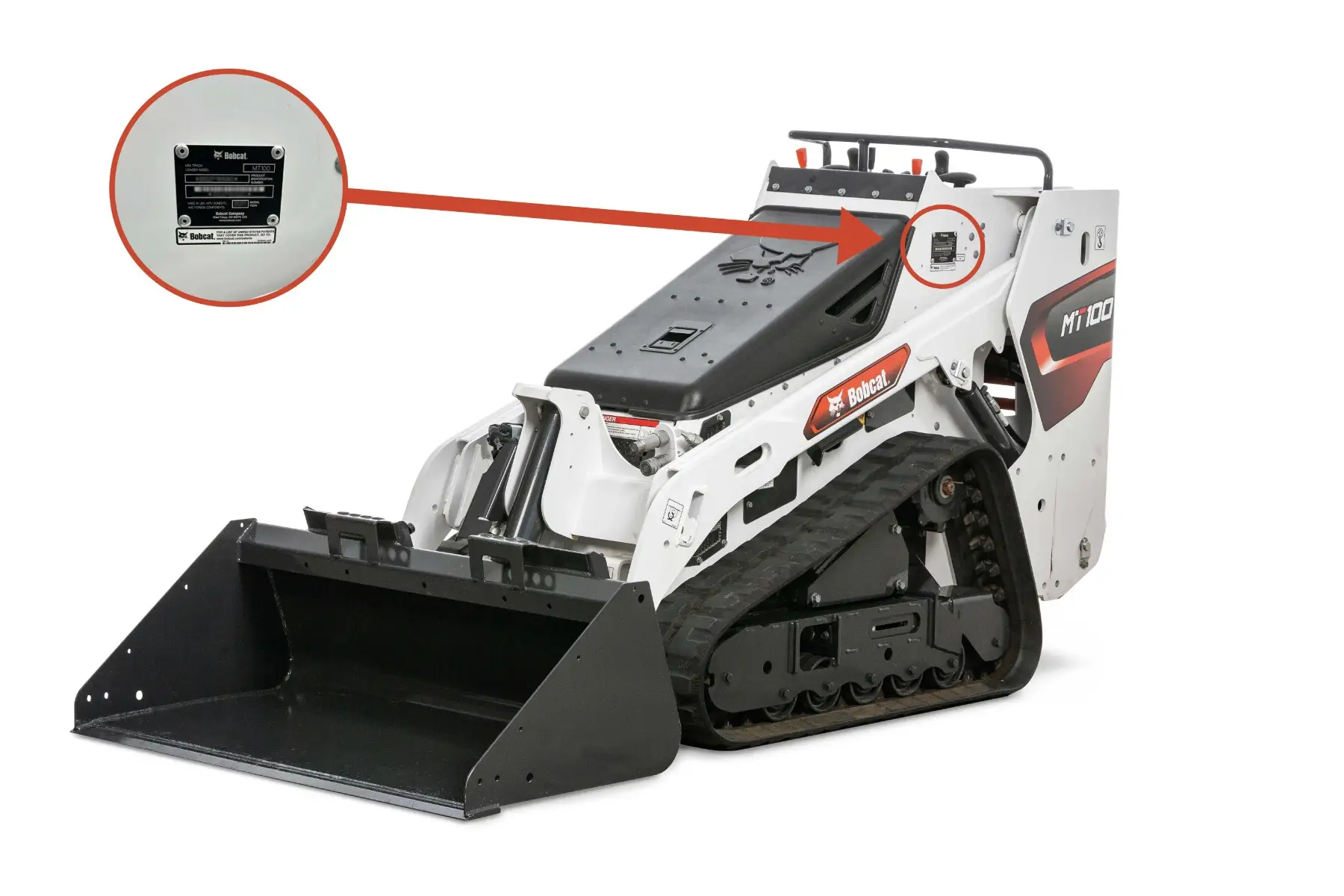
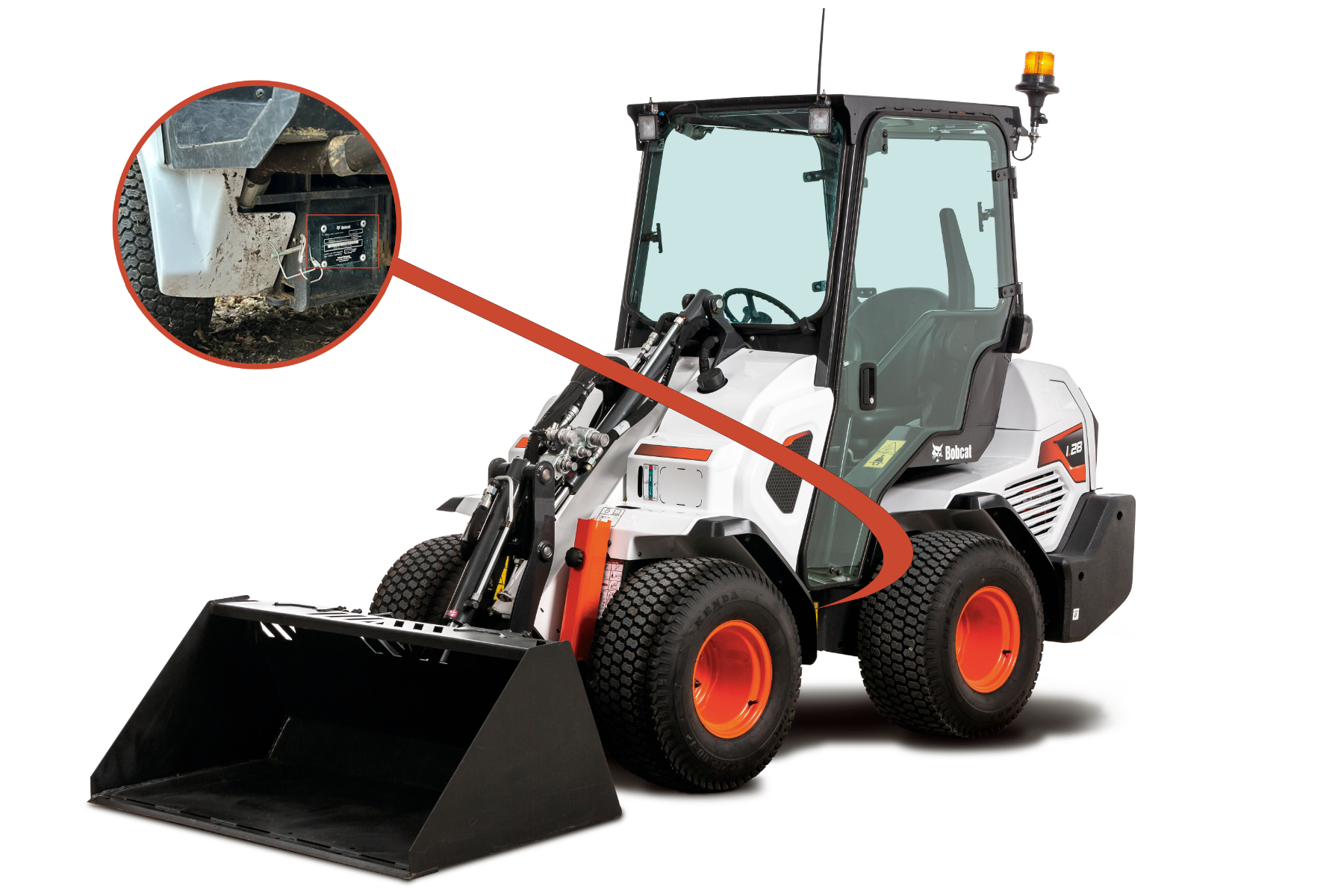
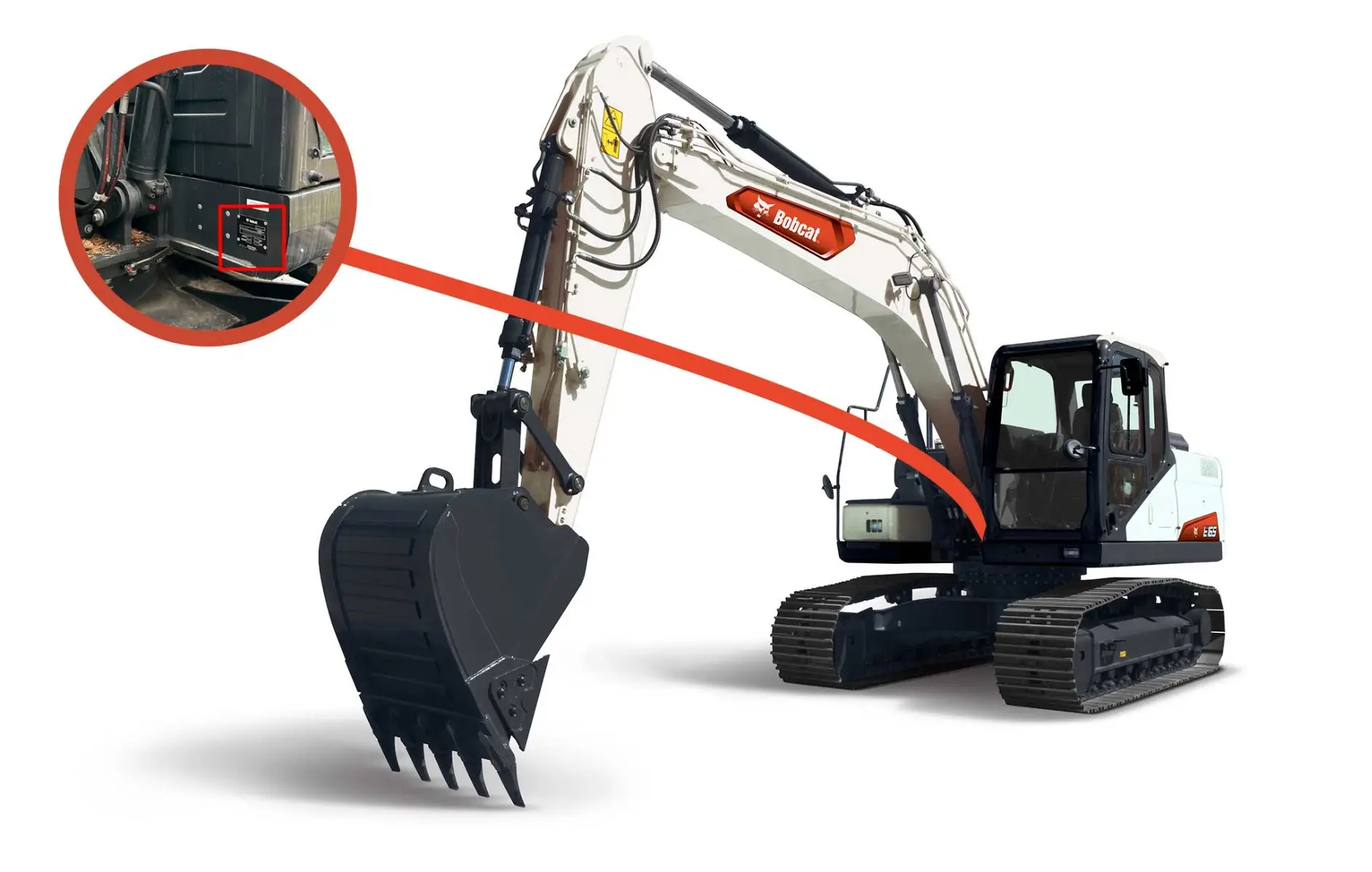
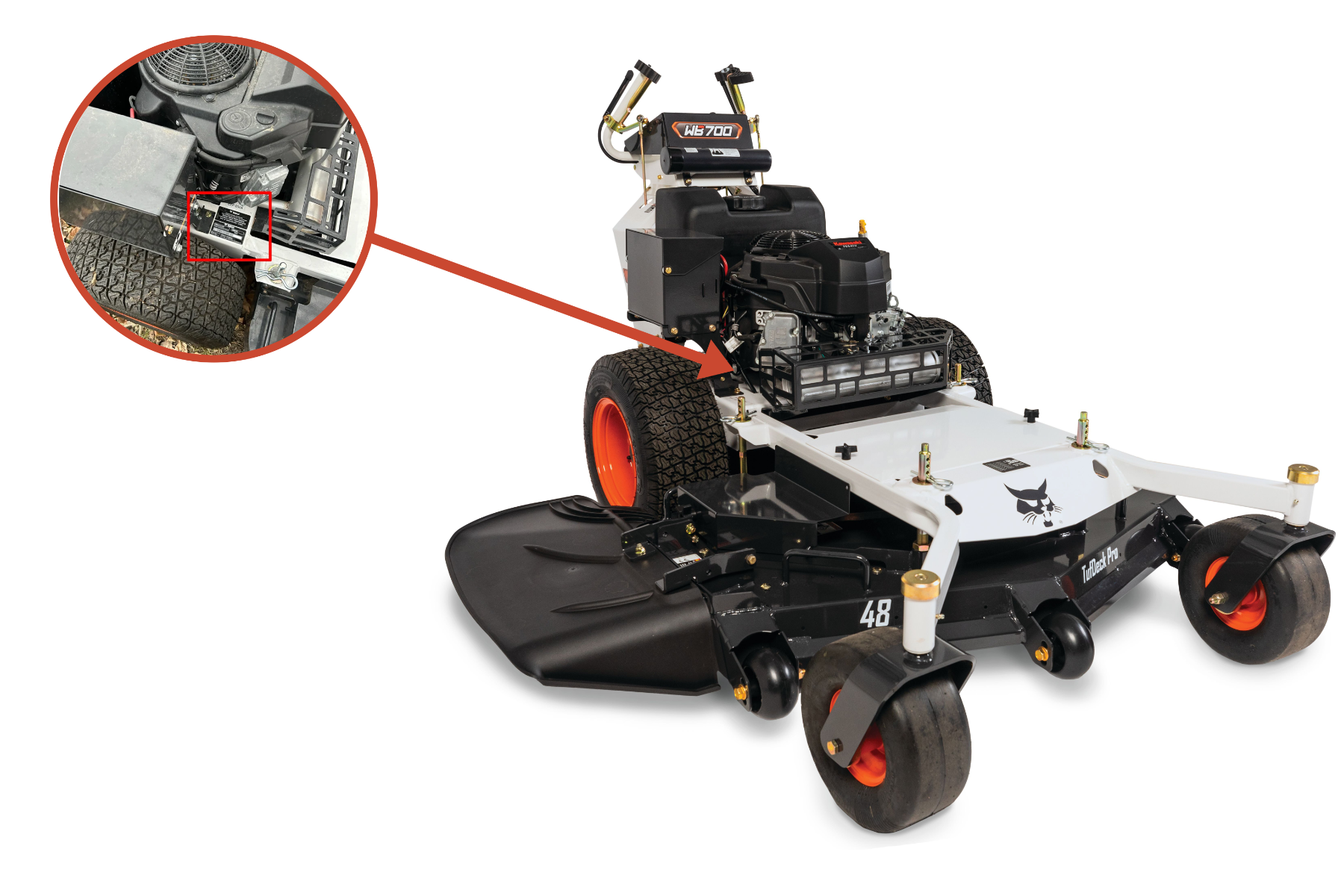
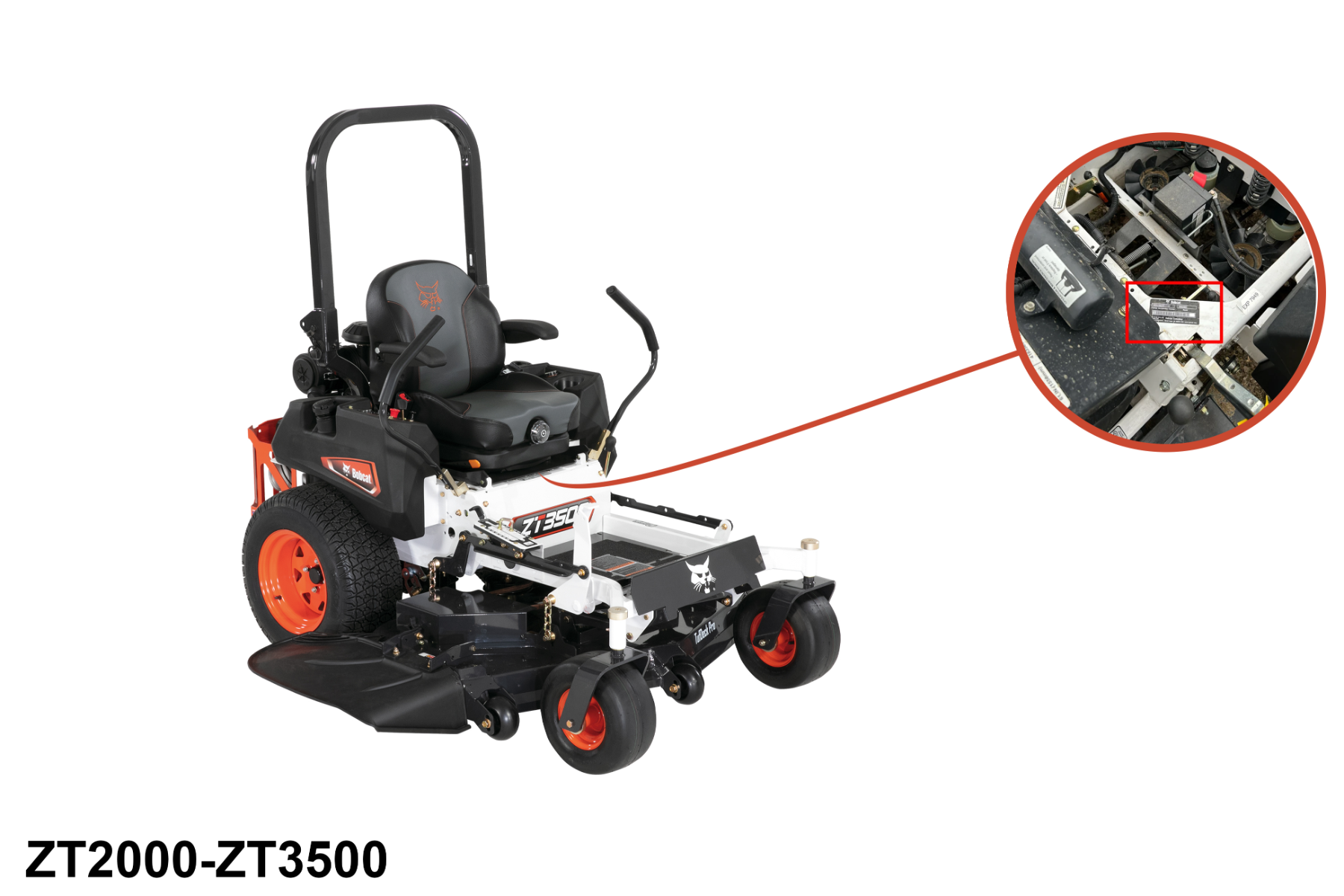
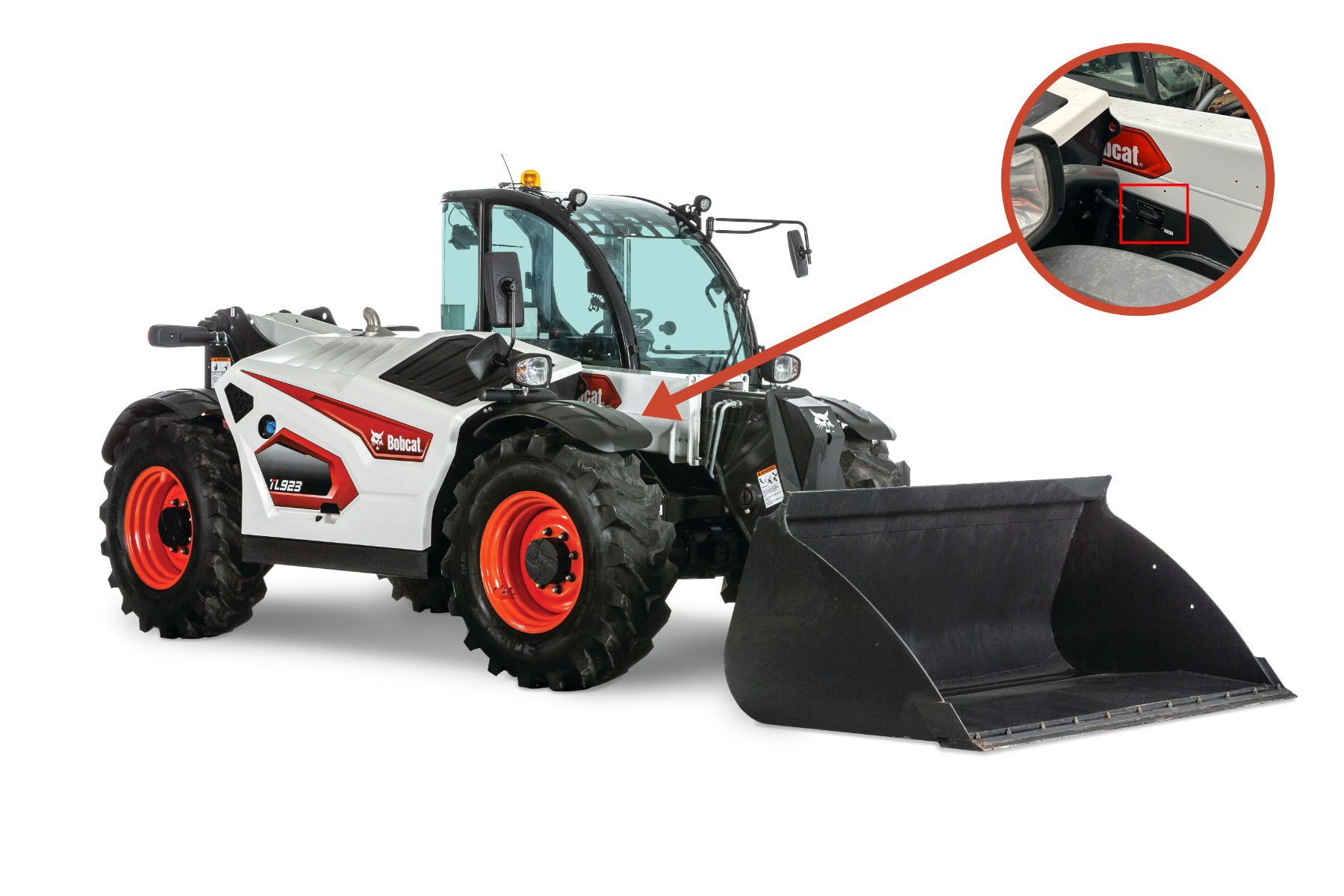
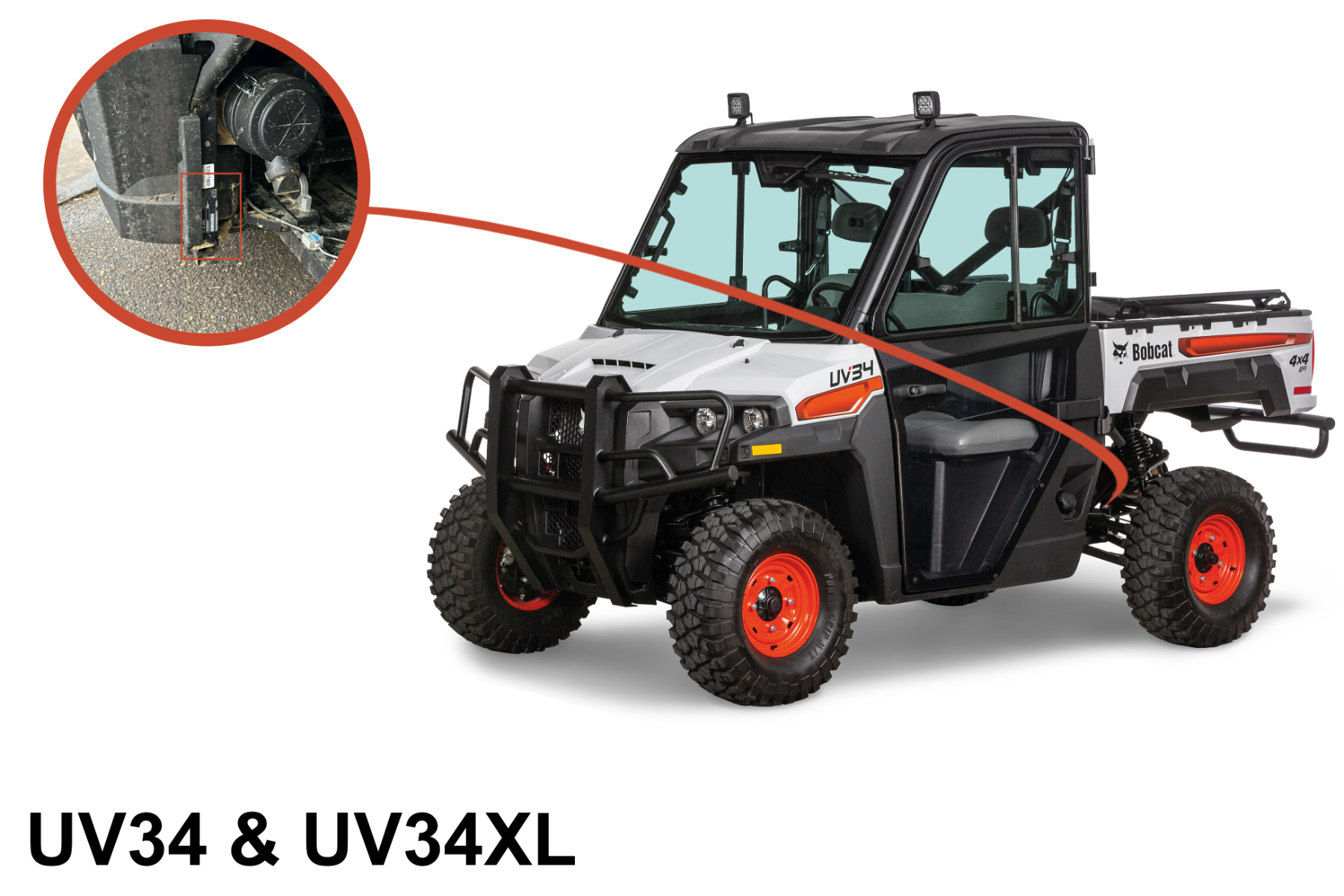
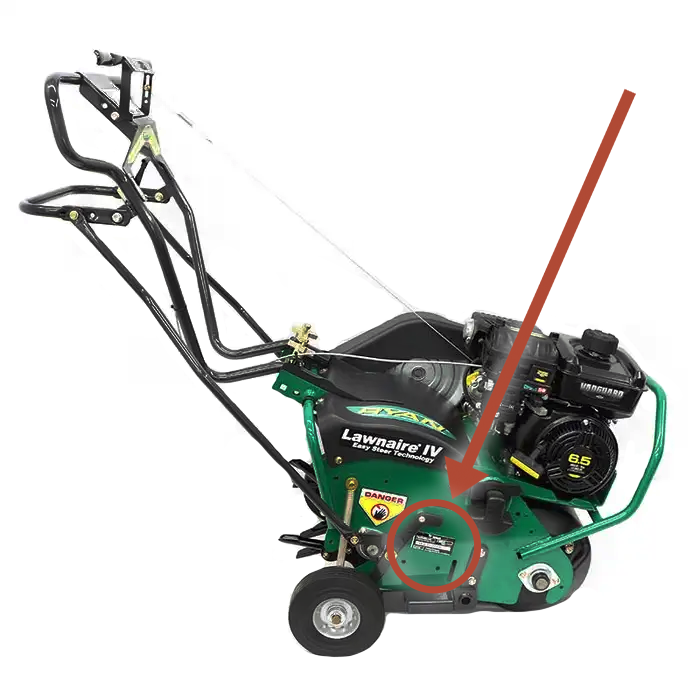
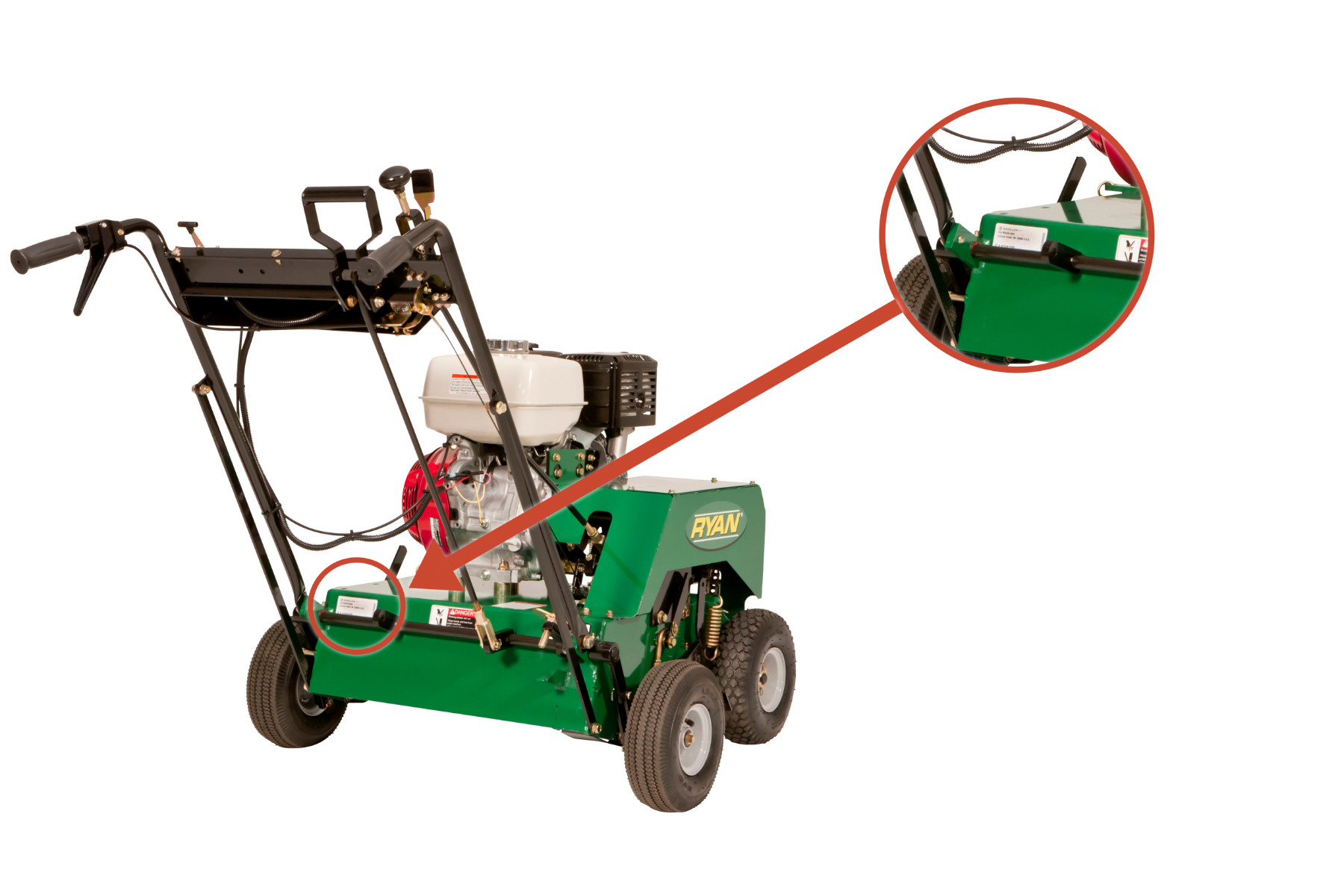
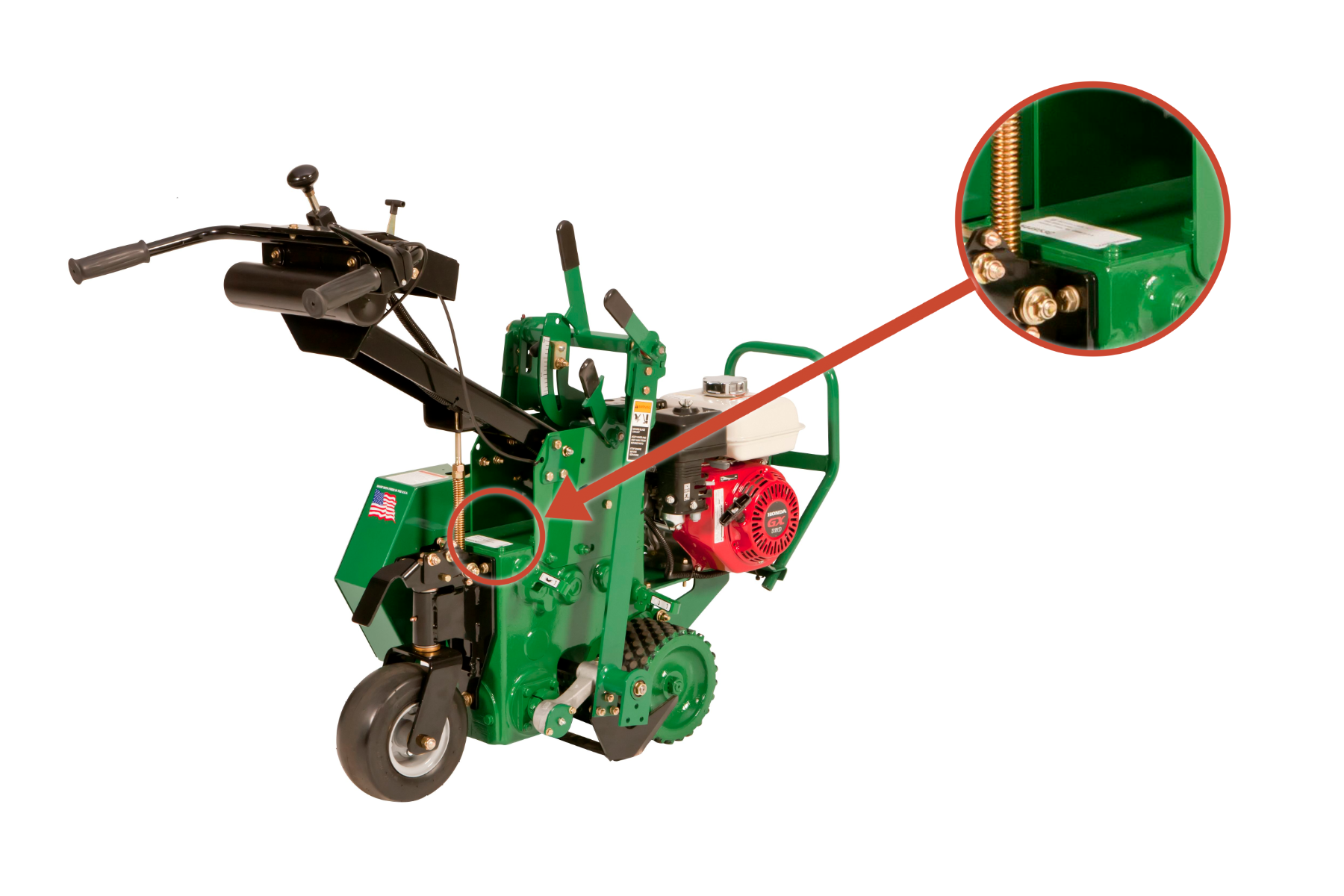
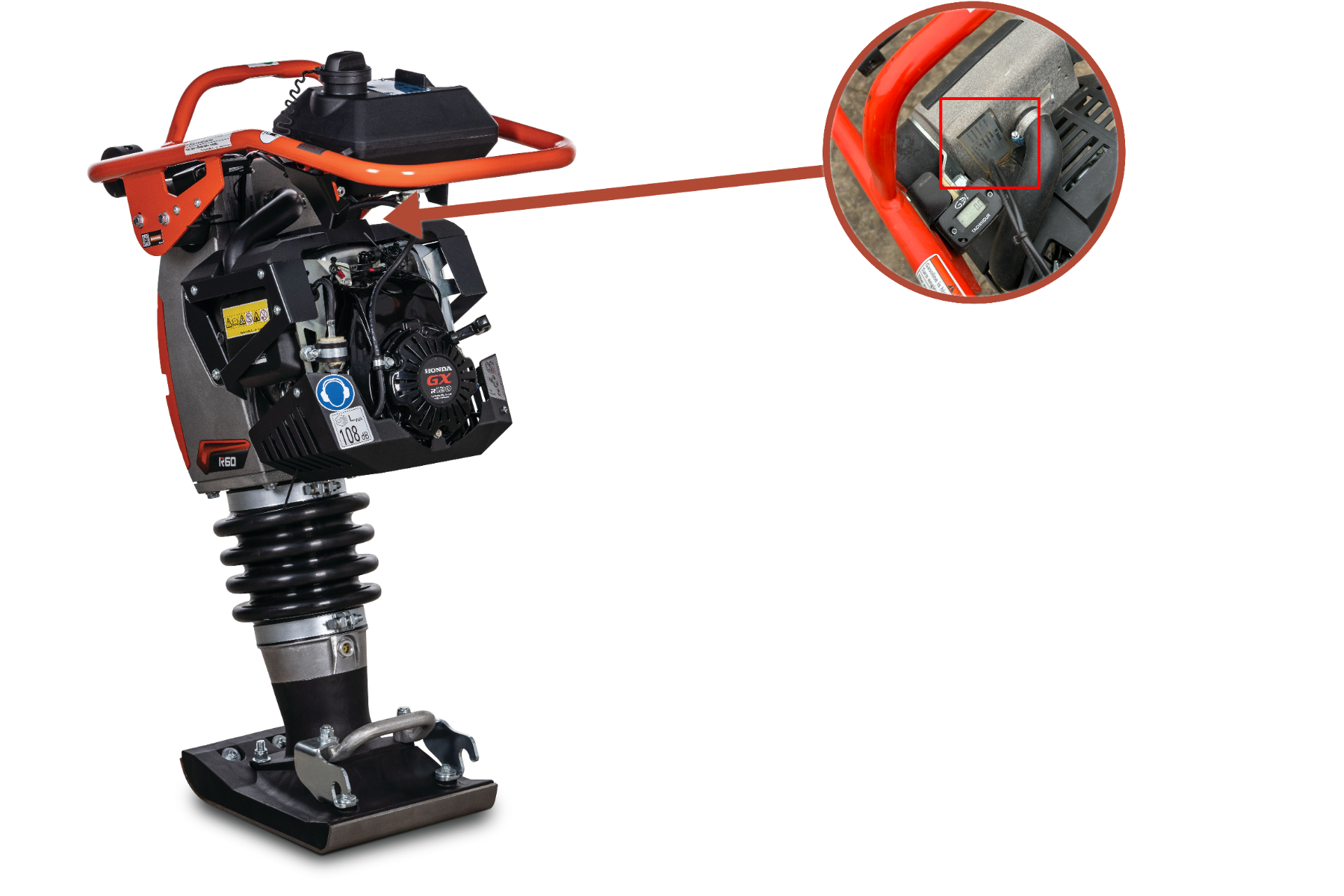
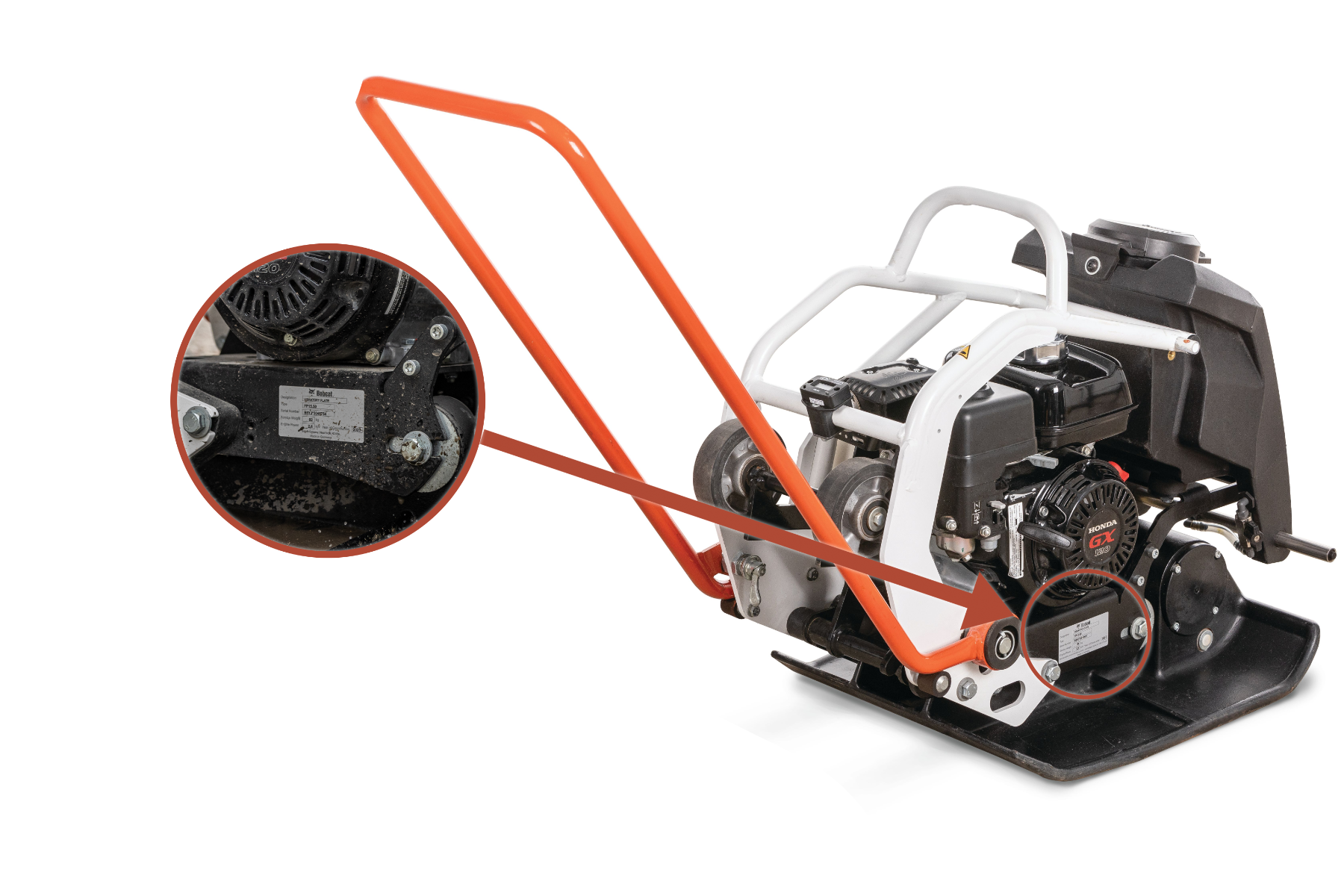
The serial number location can vary by type of machine, series, year of manufacture and other factors. Use this guide to help locate your machine's serial number.